Run Code (JavaScript)
You can run custom JavaScript code inside automations.
There is no network access when code runs. Custom code is only meant for data transformations, if statements, throwing errors, etc.
There are 2 ways to custom JavaScript code.
Advanced > Output - Run Code
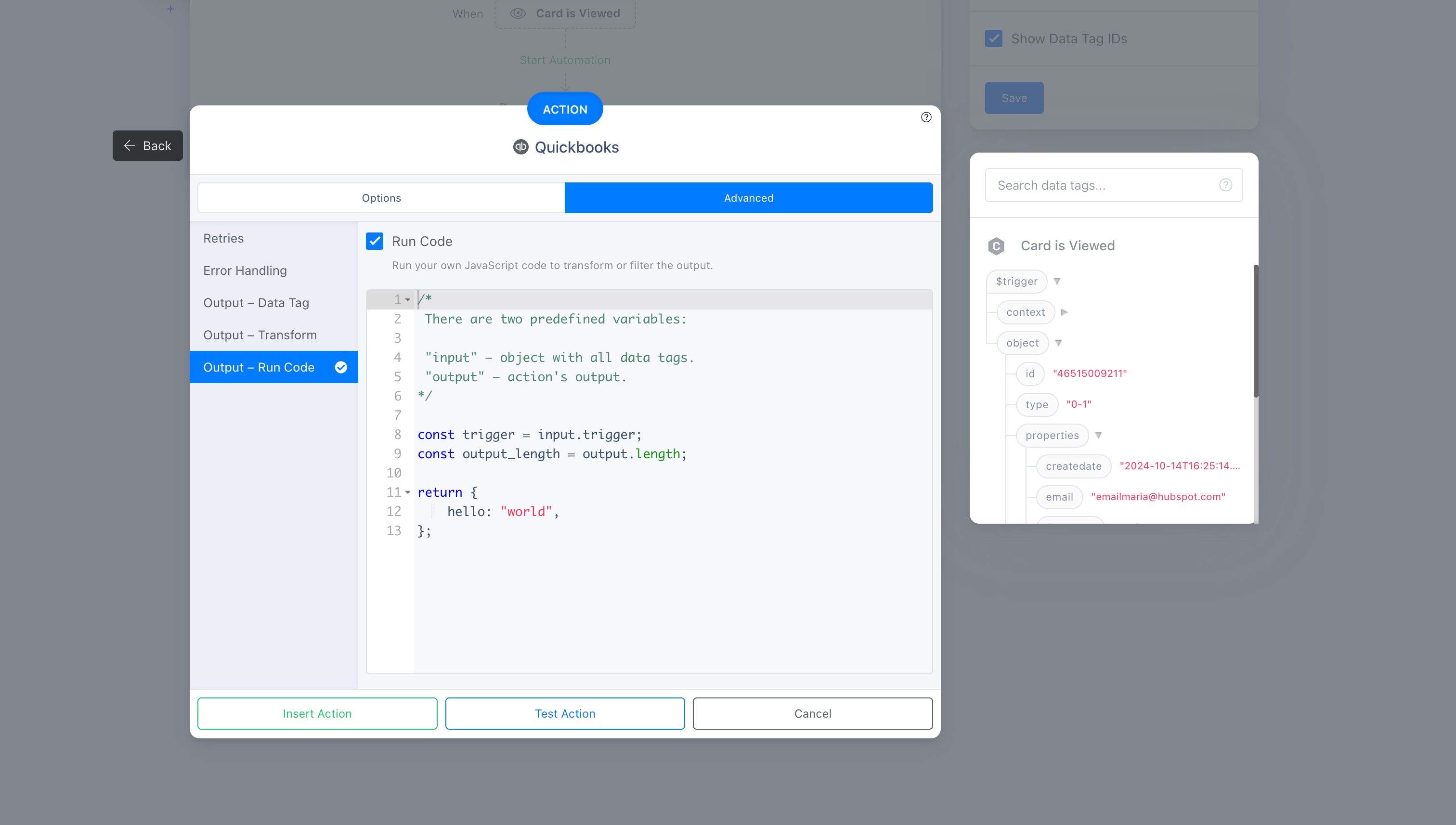
Some actions have ability for you to run custom code before the action is completed.
You have access to 2 variables:
inputis the data that was passed in to the action when it ran, also known as data tags. For example, given you have a card for Contact, and you want to access contact's ID inside code, you can refer to it viainput.trigger.object.id.outputis the result of an action. You have ability to transform your action's output here before it's saved to data tags.
You must always return at the end of the code.
Action > Run Code
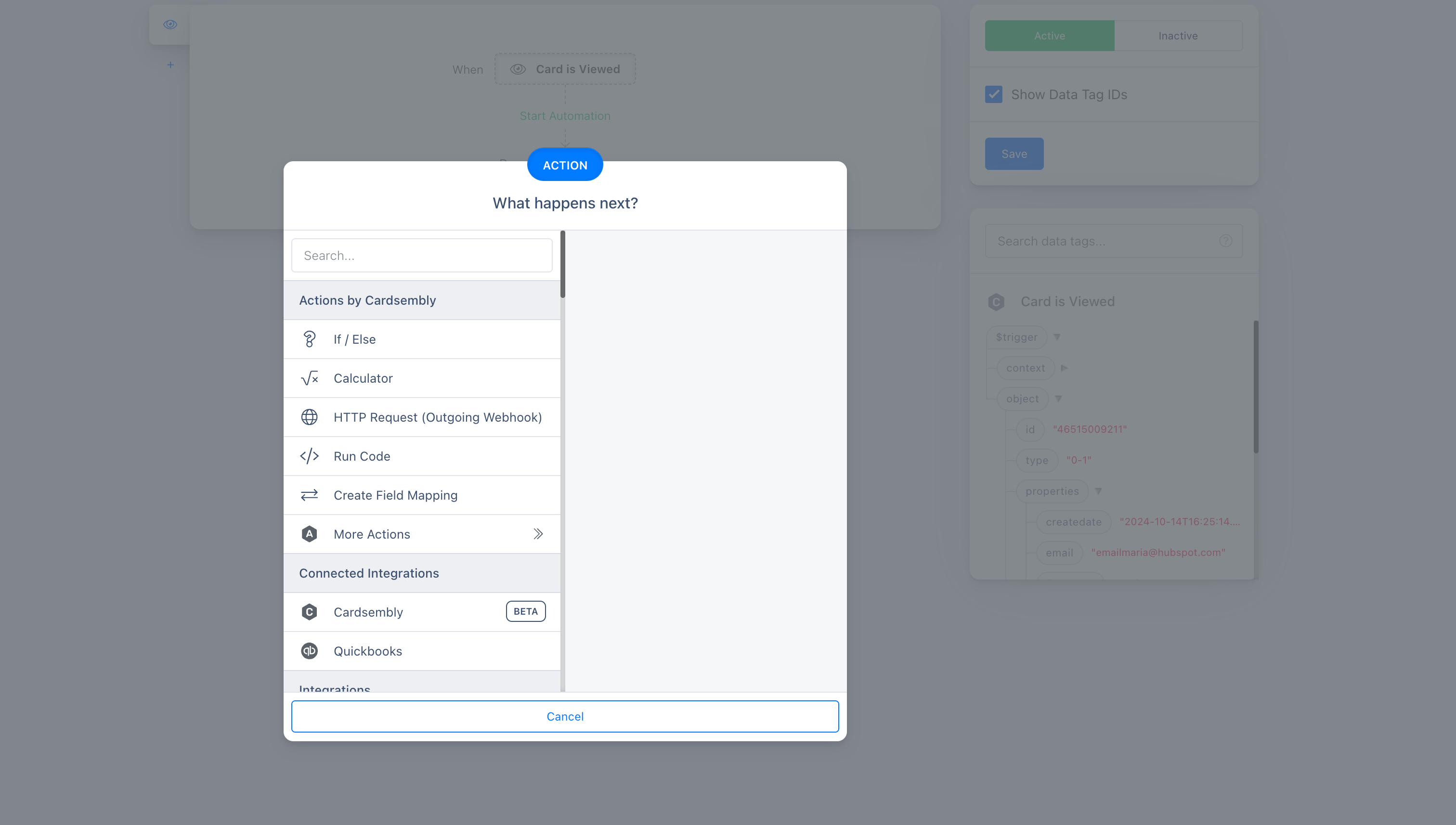
You can also add a separate "Run Code" action in your automation.
This work similarly to the Advanced > Output - Run Code example above, except there's no output variable, only input.